Property Finder and Bayut photo requirements (2026)
Property Finder wants 4 to 10 photos by unit size, 30 at most. Bayut's TruCheck photo rules, what we could not confirm for Dubizzle, and a checklist to copy.
On this page
Property Finder sets a minimum number of photos by unit size: 4 for a studio, 5 for one bedroom, 6 for two, 8 for three and 10 for four bedrooms or more, with a maximum of 30, all landscape. Its help centre adds that they must cover the bathrooms, kitchens, living areas and bedrooms. Bayut publishes advice but no minimum that we could find. Its firm photo rules are for TruCheck, a badge that needs a photo taken at the unit in Bayut's agent app. We could not open Dubizzle's own rules.
Key points
- Property Finder asks for 4 to 10 photos depending on bedrooms, 30 at most, and says "More images won't mean better Quality Score".
- Property Finder's checklist for Verified listings asks for photos without people, collages or footers, and says "Computer-generated (CGIs) or developer images won't be approved".
- A Bayut TruCheck photo is taken in Bayut's agent app within 500 metres of the property: outside an apartment with the front door open and the number visible, or inside a villa.
- We found no published rule on Property Finder, Bayut or Dubizzle that allows, bans or requires a label on virtually staged photos.
- Dubizzle's help centre refused our requests, so its rules here come from Ryselist, a Dubai listing production service, and are not confirmed by Dubizzle.
How many photos does Property Finder require?
At least 4 to 10, depending on bedrooms, and no more than 30.
| Unit | Minimum photos |
|---|---|
| Studio | 4 |
| 1 bedroom | 5 |
| 2 bedrooms | 6 |
| 3 bedrooms | 8 |
| 4 bedrooms or more | 10 |
The maximum is 30 for every unit. Commercial listings need 5 (offices, shops, warehouses, land) or 10 (business centres, bulk rent units, compounds, full and half floors, commercial villas).
These numbers come from Property Finder's quality score checklist (opens in a new tab), an undated PDF from Property Finder Hub, its download site for agents. The help centre's article on the Listing Quality Score (opens in a new tab) gives the same residential numbers, but it refused our requests, so we could read it only in a search preview on 16 November 2026.
The checklist is plain about extra photos. There is "no impact on the Quality Score of the listing provided the minimum amount of images are uploaded", and "More images won't mean better Quality Score". The score matters because "The better the content of your property, the better it will rank."
What must Property Finder photos show?
Every main room, from inside. The help centre article (search preview) says the pictures must include the bathrooms, kitchens, living areas and bedrooms. Property Finder's checklist for Verified listings (opens in a new tab), also undated, asks for "interior shots of the property rather than just exterior".
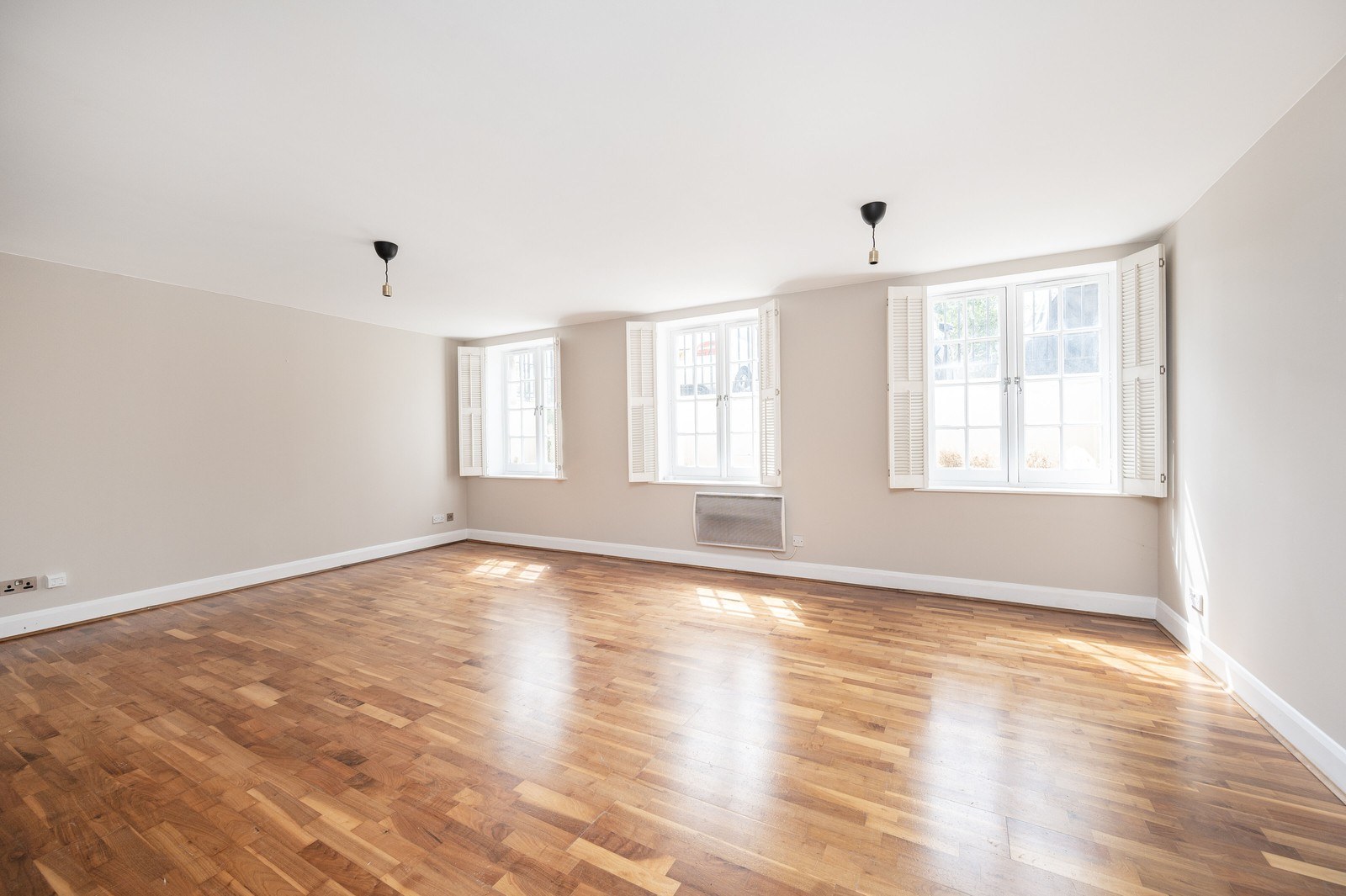
The quality score checklist wants every image landscape ("no portrait photos"), bright ("preferably shot in the daylight"), unique ("no two images are the same") and "super clear, not pixelated".
What lowers the Property Finder quality score?
Falling short of the minimum, and breaking the image rules. The search preview of the Listing Quality Score article also gives 800 by 600 pixels and a width-to-height ratio between 1.3 and 1.8. Property Finder's AAA Stock Quality Rules (opens in a new tab) (the three As are accurate, authorised and available) refused our requests too. Their search preview says that where the image rules are not met, Property Finder "may decide to reduce the quality score of the listing or to remove the listing".
What are Bayut's photo rules?
Advice for ordinary listing photos, and firm rules only for its TruCheck badge.
Bayut's guide to listing photos (opens in a new tab), updated 21 October 2026, gives no count, size or format. Its most specific advice is to correct the bending a wide-angle lens causes: "Keep a lookout for bowed features and edit them before they go on your listings." An agent page from 1 August 2021, 3 Steps To Creating Quality Listings (opens in a new tab), suggests "10 high-quality photos arranged in a logical order". We found no newer Bayut page with a number.
What is Bayut TruCheck?
TruCheck is Bayut's badge confirming that an advertised property "is still on the market". A listing first needs the Checked badge, which Bayut applies after checking the property documents. For TruCheck, the agent then goes to the property and takes a photo in Profolio, Bayut's app for agents, according to Bayut's guide to Checked and TruCheck (opens in a new tab), updated 19 October 2026.
How do you take a TruCheck photo?
- Where you stand. Within 500 metres of the property, or the app's camera will not open, says Bayut's Profolio page (opens in a new tab) (updated 20 October 2026).
- Apartment. From "right outside the flat", with "the front door open and the apartment number clearly visible" (the TruCheck guide). A 2024 Bayut guide said "slightly open". Open it wide enough to show the inside.
- Villa. From inside, "preferably the living room", and the photo "needs to be similar to the photographs uploaded with the listing", says Bayut's agent guide to the TruCheck badge (opens in a new tab) (28 October 2024). The search preview of its help centre's TruCheck photo guidelines (opens in a new tab) also asks for interior photos that match the listing.
- How many. "Up to five", says the 2024 guide. The Profolio page's TruCheck tips say "You can upload up to 10 images of the property on Profolio".
Why do TruCheck photos get rejected?
We found no list of rejection reasons on a Bayut page we could open. Search previews of a Bayut agent page that now returns "not found" list five: the wrong location, a door not fully open, a person in the photo, the unit number not visible, and a photo unlike the listing's photos. Four follow from the rules above. The fifth is easy to miss, so keep yourself and everyone else out of the frame.
How long does a TruCheck badge last?
Bayut's own pages disagree. Its Profolio page (opens in a new tab) says 45 days for sales listings, ready or off-plan (sold before completion), and 30 days for rentals. An interview with a Dubai agency on Bayut's blog (opens in a new tab), which appears to date from June 2021 and shows an update of 21 October 2026, says 30 days. We found nothing from Bayut that settles it.
What does Dubizzle require?
We could not confirm Dubizzle's photo rules from Dubizzle. Its help centre refused our requests on 16 November 2026, and the property photo articles we tried on its blog now return "gone".
Ryselist (opens in a new tab), a Dubai listing production service, wrote on 23 September 2026 that ads "with no photos or blurry photos stay inactive", that Dubizzle "bans brokerage watermarks and photo collages", and that blurry or stock photos get ads rejected. One point does come from a portal. Trakheesi is the Dubai Land Department's system for property advertising permits, and Bayut's Trakheesi guide (opens in a new tab) says "To have your property listing live on Bayut or dubizzle, you need a Trakheesi permit number".
Property Finder vs Bayut vs Dubizzle: photo rules side by side
Checked on 16 November 2026. "Preview" means we could read the page only in a search preview.
| Property Finder | Bayut | Dubizzle | |
|---|---|---|---|
| Photos | 4 to 10 by bedrooms, 30 at most | No minimum found, 10 suggested in 2021 | Not confirmed |
| Must show | Bathrooms, kitchens, living areas, bedrooms (preview), interiors | TruCheck: open door and unit number, or villa interior | Not confirmed |
| Marked down or refused for | Portrait, dark, pixelated, repeats, people, collages, footers, CGIs | TruCheck: wrong place, door not open, number hidden, unlike the listing, a person (preview) | Blurry, stock, collages, brokerage watermarks (Ryselist) |
| Source | Two undated PDFs, help centre (preview) | Bayut pages, 2021 to 2026 | Ryselist, 23 September 2026 |
Why do listing photos get rejected?
Mostly because they are too few, poor, repeated or not of the unit:
- Too few. Below Property Finder's minimum for the unit size.
- Wrong shape. Portrait (Property Finder), or a ratio outside 1.3 to 1.8 (Property Finder, preview).
- Poor quality. Dark or pixelated (Property Finder), blurry (Dubizzle, according to Ryselist).
- Repeats. The same image twice in one listing (Property Finder).
- Not this property. CGIs and developer images (Property Finder's Verified checklist), stock photos (Dubizzle, according to Ryselist).
- Clutter. People, collages, and footers with your name or number (Property Finder's Verified checklist).
- Heavy watermarks. "Excessively large watermarks or double watermarks" (Property Finder's Verified checklist), or any brokerage watermark (Dubizzle, according to Ryselist).
- A bathroom as the main image. Property Finder's Verified checklist says it "won't be approved".
- A TruCheck photo that does not prove the place (Bayut).
Not every item takes a listing down. Property Finder's checklists present most of them as costing Quality Score or the Verified badge, and its AAA rules describe removal as something it "may decide".
Are virtually staged photos allowed on Property Finder and Bayut?
We found no portal rule that covers them: nothing allowing them, banning them or asking for a label. What the portals do publish says the photos must show the property itself.
Property Finder's Verified checklist asks that "All images are genuine images of the property" and will not approve CGIs. It does not mention virtual staging, and we found nothing from Property Finder on whether a real photo with digital furniture counts as a CGI. Its own blog suggests virtual staging to sellers (opens in a new tab) (27 August 2025) and says nothing about labels. On Bayut, a villa's TruCheck photo "needs to be similar to" the listing photos, and a photo of an empty living room will not look like a virtually furnished one. We do not know how Bayut's moderators treat that.
Our view, until a portal says otherwise: put the as-photographed version in the listing next to each staged one, label the staged photo on the image and in the description, and leave kitchens and bathrooms as they are, since their fittings are part of what is for sale. Both versions count towards the 30, and we do not know whether Property Finder's check for repeated images would treat a staged photo and its original as the same picture.
In Livium AI, which we make, each staged photo can be downloaded with a "Virtually staged" label or without one, the original is kept, and kitchens and bathrooms are left as photographed. Our article on virtual staging on Bayut and Property Finder covers the question in full, and our guide to virtual staging in Dubai covers the wider market.
A checklist before you upload
- Count. At least Property Finder's minimum (4, 5, 6, 8 or 10 by bedrooms) and no more than 30.
- Coverage. Every bathroom, the kitchen, the living areas and every bedroom, from inside.
- First photo. Your best room or view, never a bathroom.
- Shape and size. Landscape, at 4:3 or 3:2 (both inside the 1.3 to 1.8 ratio). Property Finder's Verified checklist suggests 800 by 600 pixels.
- Light and focus. Daylight, curtains open, nothing blurred or pixelated.
- Each image once, all of this unit. No repeats, no stock photos, no developer renders for a resale unit.
- Clean frames. No people, no collages, no strips of text with your name or number.
- Watermark. One small company logo at most, and an unmarked set for Dubizzle, which Ryselist says bans brokerage watermarks.
- Staged photos. Labelled, with the as-photographed version also in the listing.
- TruCheck. Taken in Profolio within 500 metres: an apartment from outside with the door open and the number in shot, a villa from inside, nobody in the frame.
Taking the photos yourself? Our guide on how to photograph a room for staging covers where to stand and how high to hold the camera.
Common questions
Can I put my company logo on listing photos?
On Property Finder, yes, if it is small. Its quality score checklist says "All images are subtly watermarked", and its Verified checklist says "The watermark represents your company logo" and "The watermark is subtle". We found no Bayut or Dubizzle page on logos that we could open. Ryselist reports that Bayut allows a brokerage watermark and Dubizzle does not.
Do I need a floor plan?
On Bayut, yes, by its own account in 2021, and we found nothing newer either way. Its agent page of 1 August 2021 says "it is now mandatory to add floor plans to your property listings", and that in Profolio "the listing quality is 'yellow' when floor plans are not updated". None of the Property Finder documents we read asks for one.
Does the Trakheesi permit number go on the photos?
We found no portal page asking for the permit number on the photos. Bayut's Trakheesi guide has it entered in the listing draft in Profolio, and Property Finder's Verified checklist asks for images with "no footers", so we would keep it off the photo.
What size should listing photos be?
A landscape 4:3 photo of 800 by 600 pixels or more fits every figure we could read, including Property Finder's suggested "800x600" and the 1.3 to 1.8 ratio in its help centre (preview). PropSpace (opens in a new tab), a Dubai CRM that sends agents' listings to the portals, recommends 4:3 sizes such as 1,600 by 1,200 pixels because "Portals often crop images that are not 4:3". We found no size on Bayut's or Dubizzle's pages. A phone's standard 4:3 photo meets all of these.
Does the Property Finder Verified badge check the photos?
Mainly the documents, but poor photos can cost the badge. Property Finder's partner hub page on verification (opens in a new tab) says "Our in-house team will review each document" and expects images for Verified listings "to be of high-quality also". Its Verified checklist names "Poor quality/non-compliant images" as a reason for refusal. Neither mentions a visit to the property.
Staging the photos of an empty unit
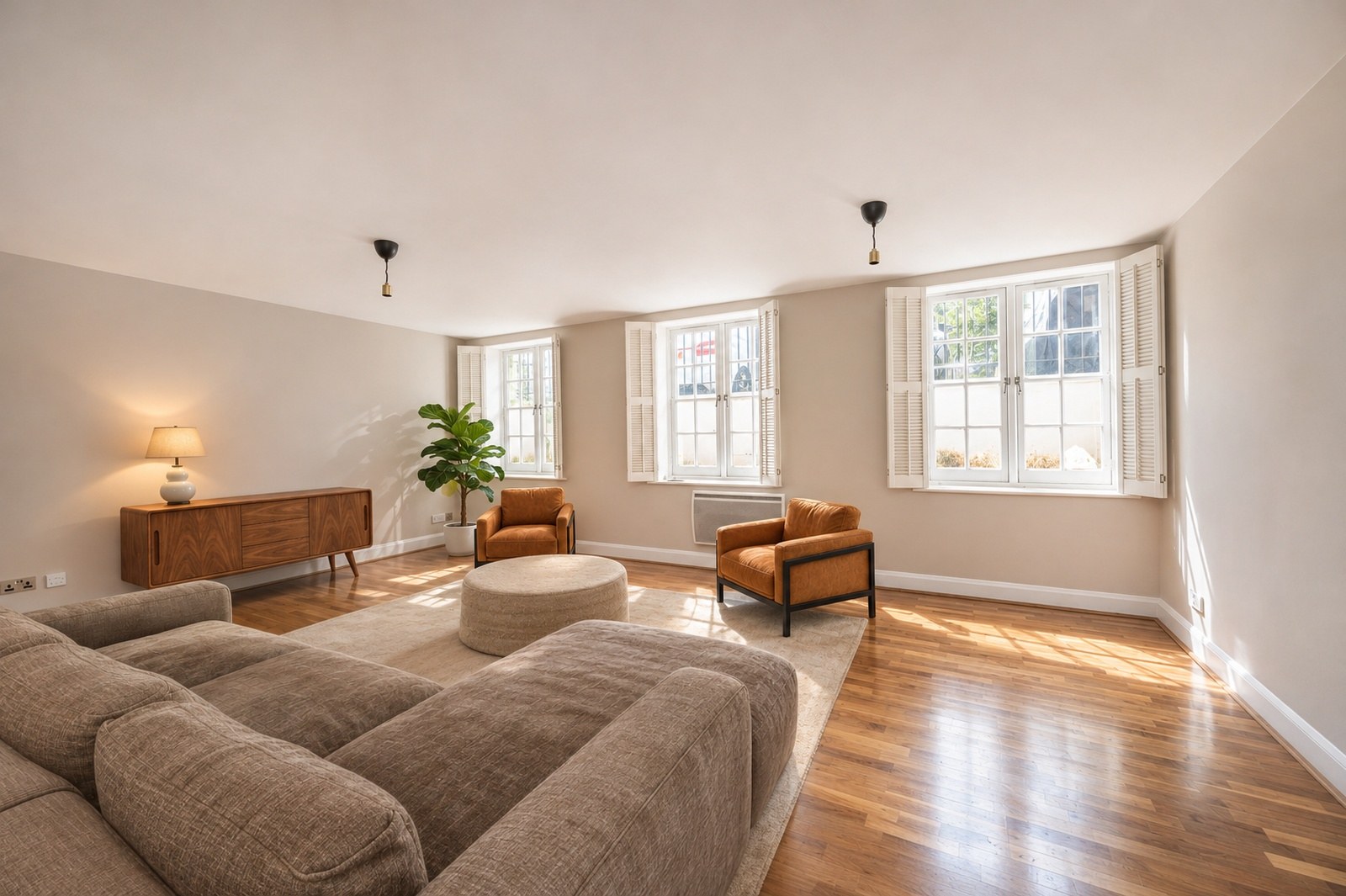
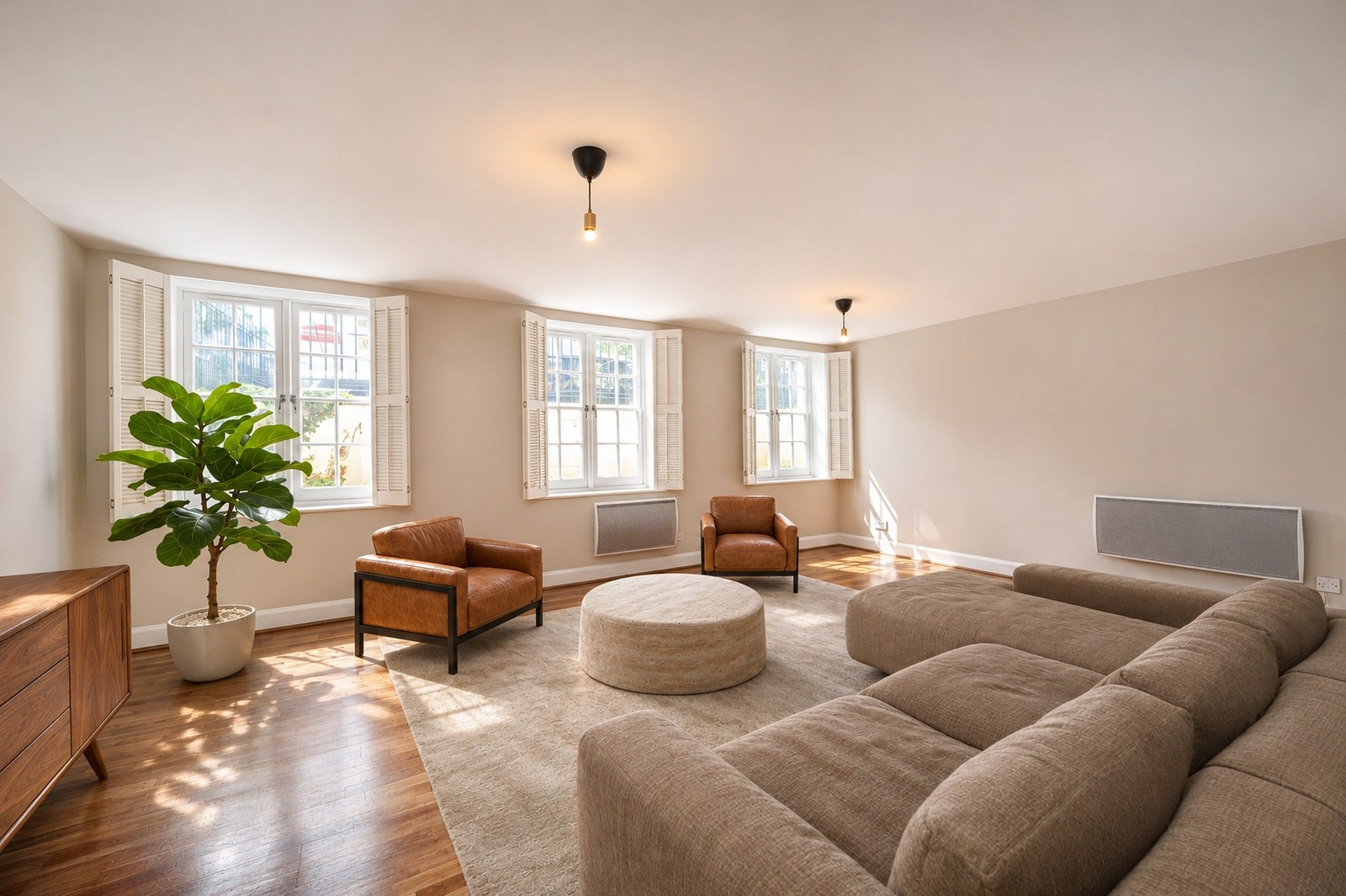
If the unit is empty, our guide to selling a vacant apartment in Dubai covers the rest of the listing. If you want its living room and bedrooms furnished in the photos, upload up to six ordinary photos of each room to Livium AI and you get the same furniture in the same place in every one, usually within minutes. You can stage five photos with 25 free credits to see the result on your own photos.
Stage the room once.
Every photo matches.
Upload a few photos of the empty room. Livium AI furnishes it once, in one 3D model with every piece at its real size, so every photo of the listing shows the same furniture in the same place.
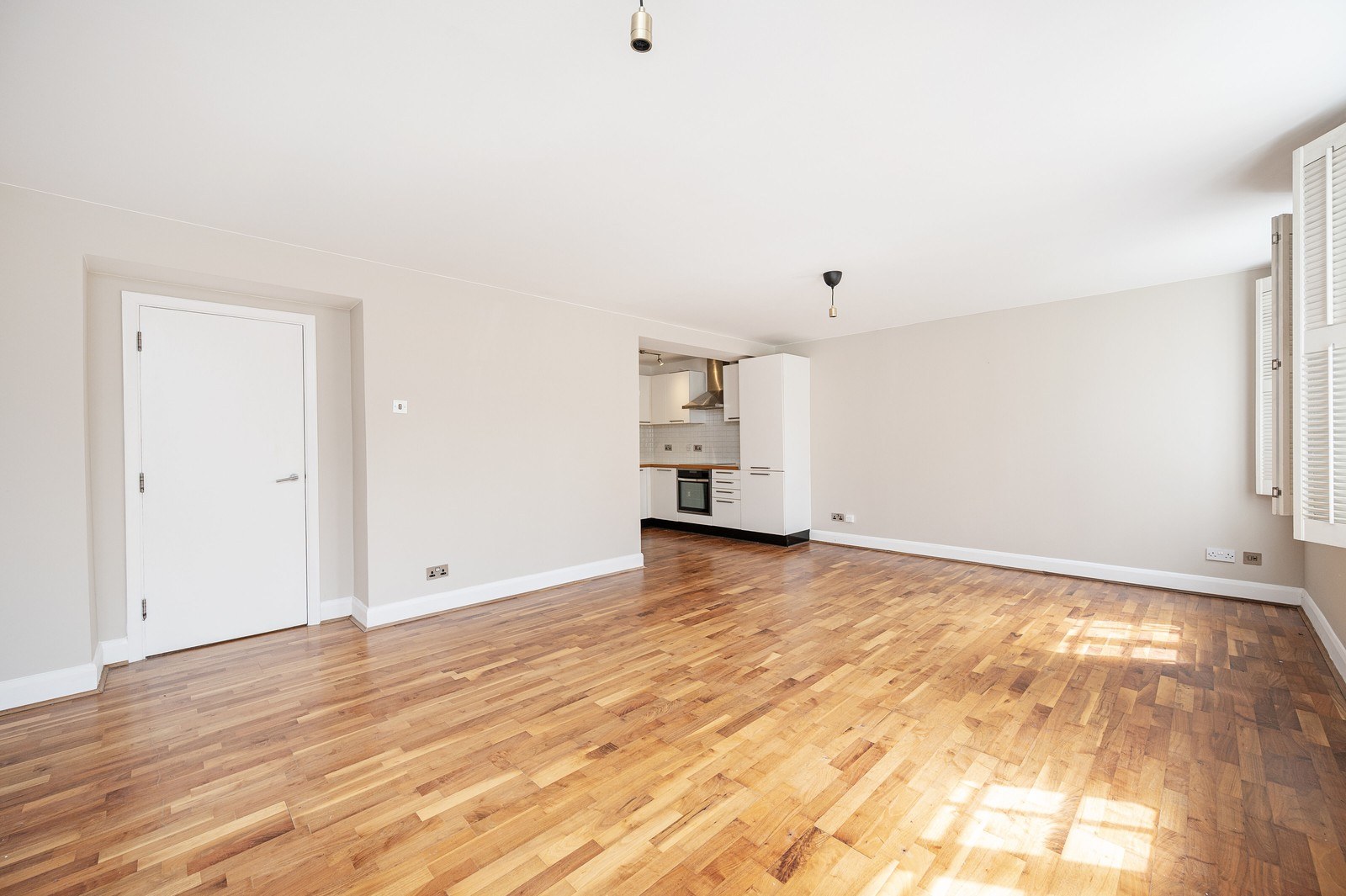
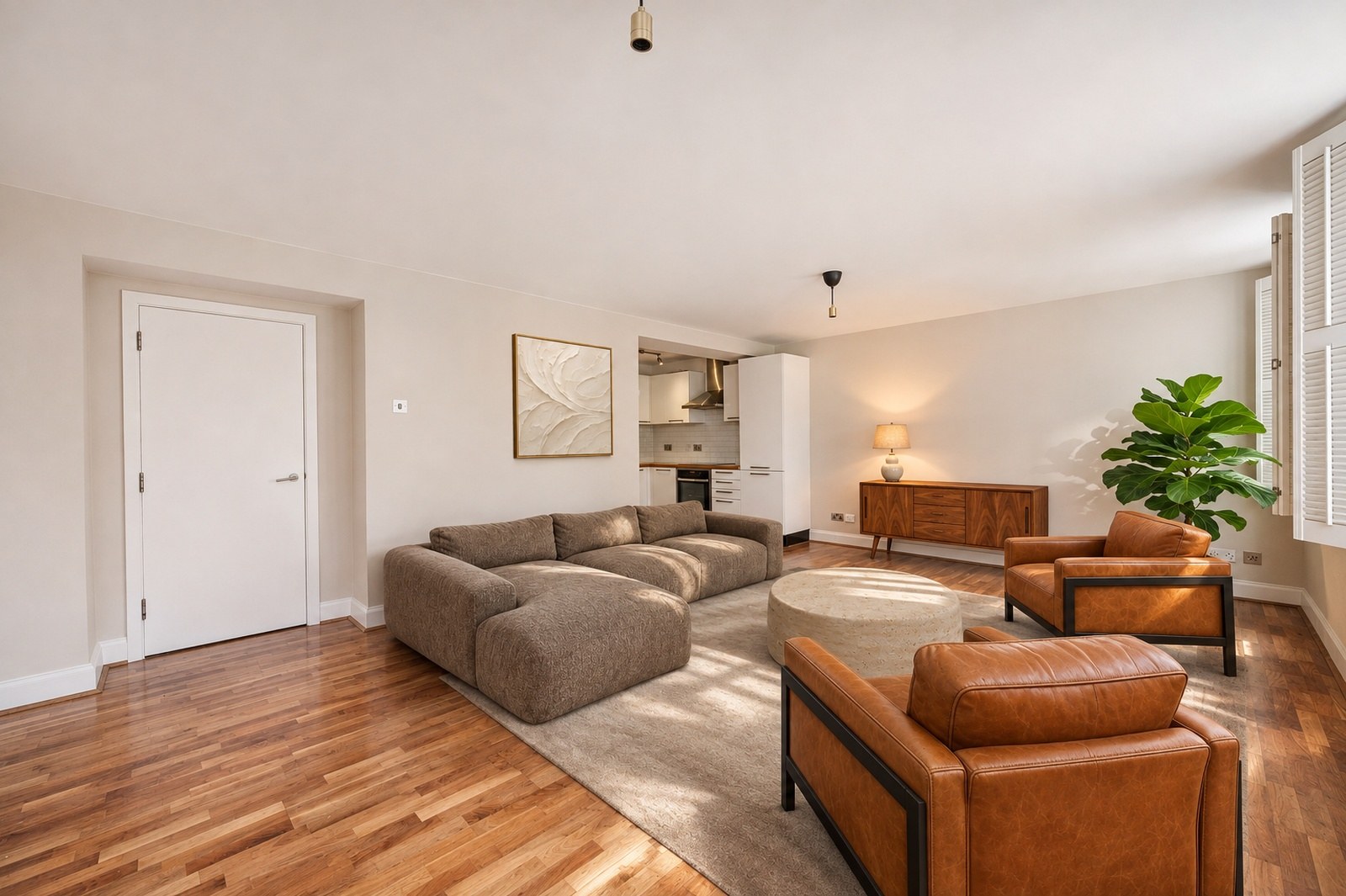 As photographedStaged by Livium AI
Sources
All links last checked on 16 November 2026. Pages marked "search preview" refused our requests, and we read them only as search previews.
- How to get top quality score: checklist (opens in a new tab), Property Finder Hub, PDF, undated.
- Verified listing: fact sheet and checklist (opens in a new tab), Property Finder, PDF, undated.
- Listing Quality Score (opens in a new tab), Property Finder help centre, undated, search preview.
- AAA Stock Quality Rules (opens in a new tab), Property Finder help centre, undated, search preview.
- Get More Leads by Verifying Your Listing (opens in a new tab), Property Finder Partner Hub, undated.
- Do's and Don'ts of a Successful Home Staging in Dubai (opens in a new tab), Property Finder blog, 27 August 2025.
- Best Practices for Taking Real Estate Listing Photos (opens in a new tab), MyBayut, updated 21 October 2026.
- 3 Steps To Creating Quality Listings On Bayut (opens in a new tab), Bayut Agent Portal, 1 August 2021.
- Checked and TruCheck on Bayut (opens in a new tab), MyBayut, updated 19 October 2026.
- Bayut Profolio: Exclusively designed for Real Estate Agents (opens in a new tab), MyBayut, updated 20 October 2026.
- Here's Your Guide To The TruCheck Badge (opens in a new tab), Bayut Agent Portal, 28 October 2024.
- What are the guidelines to be followed when uploading pictures for TruCheck? (opens in a new tab), Bayut help centre, undated, search preview.
- Expert Advice with AZCO Real Estate Brokers LLC: How does TruCheck on Bayut make property search easier? (opens in a new tab), MyBayut, first written June 2021, updated 21 October 2026.
- Complete Guide to the Trakheesi System in Dubai (opens in a new tab), MyBayut, updated 16 November 2026.
- Dubai listing rules: Bayut, Property Finder, Dubizzle and Trakheesi (opens in a new tab), Ryselist, 23 September 2026.
- How to Use the 4:3 Image Resizing Tool (opens in a new tab), PropSpace help centre, undated.
General information, not legal advice: rules change, so check the ones that apply to your listing.
Keep reading
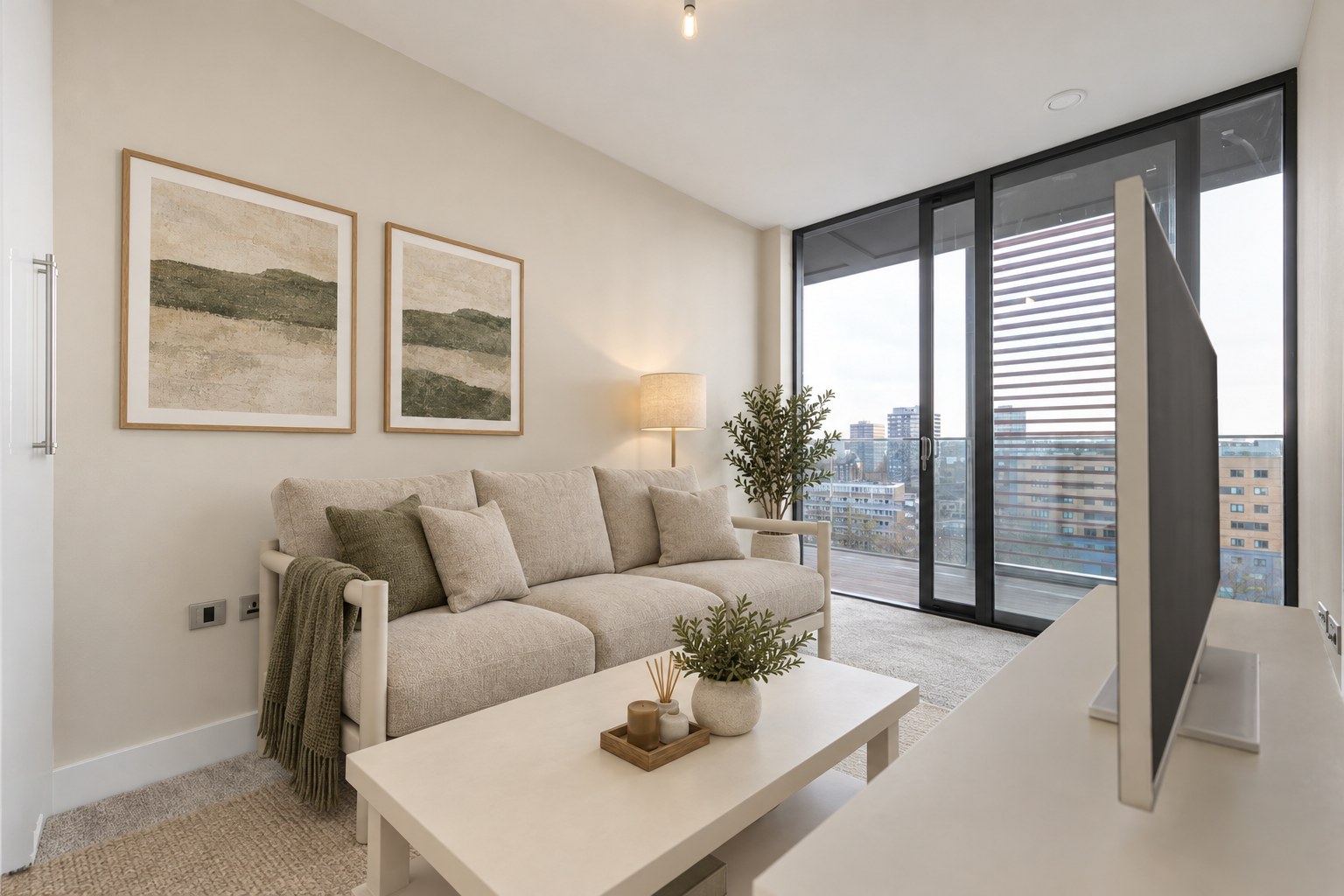
How to sell or let a vacant apartment in Dubai
Selling or letting an empty flat in Dubai: the permit and owner's form, preparing and photographing the unit, staging options, and a checklist for the week.
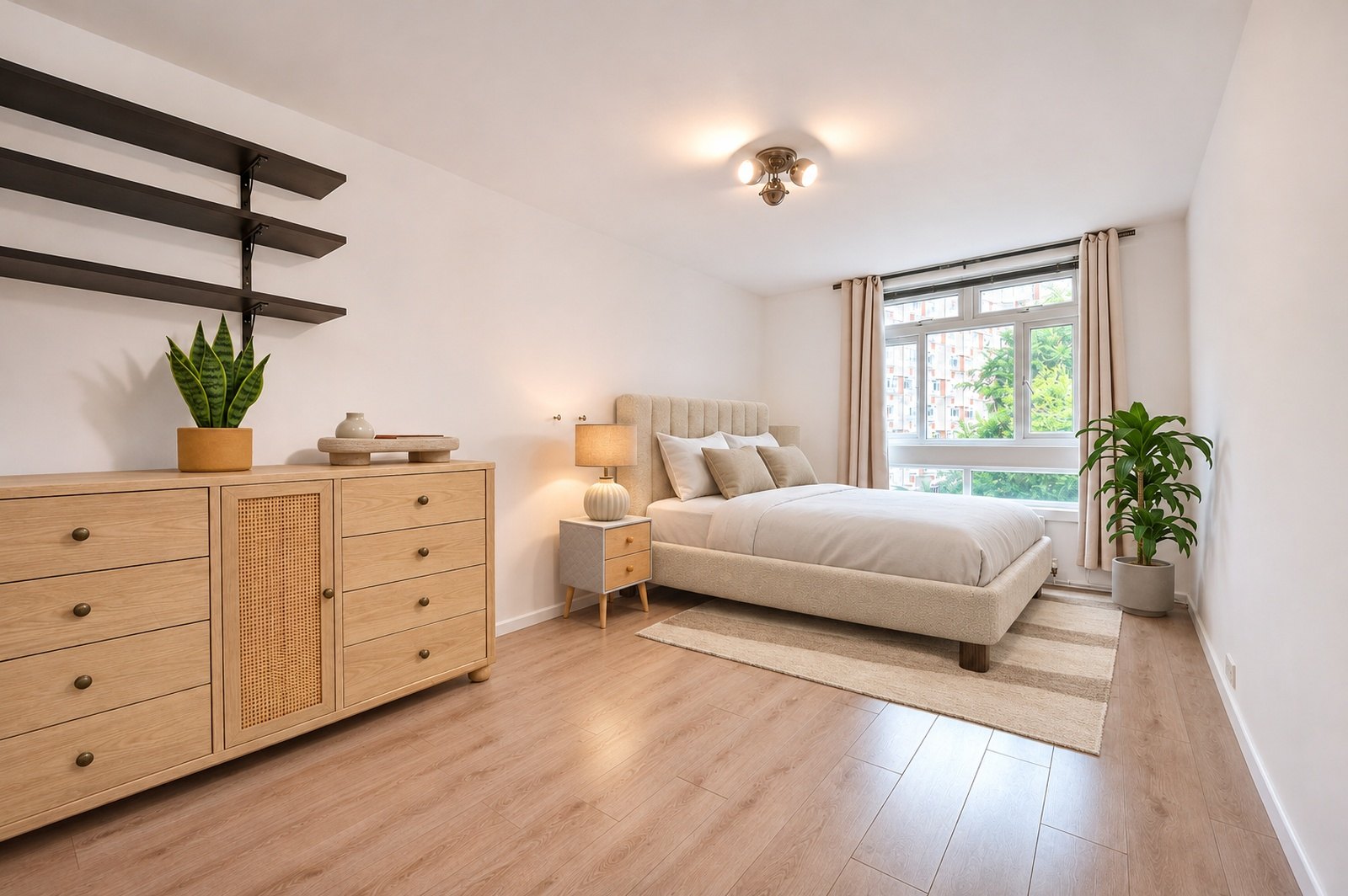
Real estate photography cost in Dubai (2026 prices)
Real estate photography in Dubai costs about AED 350 to 800 for a one-bedroom on five studios' own price lists. Add-on prices, and what to ask before booking.
Home staging cost in Dubai: physical vs virtual
What home staging costs in Dubai: physical staging, furniture rental, studio virtual staging and software, priced in dirhams on one vacant one-bedroom.