9 virtual staging mistakes that make a listing look fake
The staging mistakes that matter are not about taste: furniture that changes, wrong sizes and an altered building. How to catch all nine, with a checklist.
On this page
The virtual staging mistakes that matter are not about taste. They are the ones that make a buyer doubt the photos or show the property as something it is not: furniture that changes from one photo of a room to the next, furniture at the wrong size, and a building the AI has quietly altered, with a socket gone or a new view through the window. You can catch all nine before you publish, with the original photos open beside the staged ones.
Key points
- The mistakes that matter misstate the property: furniture that changes between photos, furniture at the wrong size, and changes to the building, such as a moved socket or a redrawn view.
- Furniture that changes comes from staging each photo as a separate picture. Staging the room once, as one furnished 3D model rendered from each photo's camera position, keeps the same furniture in the same place in every photo.
- AI image models redraw the whole picture, so they can change details nobody asked for. A side-by-side check of each staged photo against its original catches all nine mistakes before you publish.
- In a Coraly study of just under 40,000 main listing photos on four US portals, reported by HousingWire on 24 June 2026, more than 90% of the 4,330 altered images carried no visible disclosure.
- NorthstarMLS, a US listing service, proposed guidelines on 10 July 2026 that allow staging to add or remove furniture and decor, and prohibit edits that "change or hide permanent or structural elements of the property".
What are the nine mistakes, and how do you catch each one?
Each one is caught by a comparison, and most are fixed by making the photo again.
| Mistake | What to compare | If it fails |
|---|---|---|
| 1. Furniture changes between photos | Each piece in every photo of the room | Re-stage the room as one set |
| 2. Furniture at the wrong size | Each piece against the door and window beside it | Re-stage, and check every photo |
| 3. The building has changed | Fittings, frames and the view | Re-make the photo or use the original |
| 4. The finishes have changed | One patch of floor and wall | Re-make the photo |
| 5. The room looks bigger or brighter | The darkest corner, the gap above the window | Re-make the photo |
| 6. Furniture where it could not go | Every door, wardrobe and window | Move the piece |
| 7. Light that disagrees with the windows | Shadows against the main window | Re-make the photo |
| 8. Staging that hides something | Every mark and fitting in the original | Move the piece or publish the original too |
| 9. No label and no original | The label or caption, the saved original | Add the label, keep the original |
Why does AI staging change things nobody asked it to change?
An AI image model does not paste furniture onto your photo. It redraws the picture, and anything it redraws can come back different.
OpenAI's documentation for its image models (opens in a new tab) says they "may have difficulty placing elements precisely in structured or layout-sensitive compositions". Even an edit confined to a marked area is approximate: "The model uses the mask as guidance, but may not follow its exact shape with complete precision." A room full of frames and fittings is a structured picture.
Furnished rooms need extra care. Coraly, a real estate intelligence company, examined just under 40,000 main listing photos on four US portals, and HousingWire reported (opens in a new tab) that 88.8% of the virtually staged ones "were applied over existing furnished spaces". When old furniture is removed first, the floor and walls behind it are the model's estimate, not a photograph.
1. Does the furniture change from one photo to the next?
A buyer looks at the photos of a room one after another, so furniture that will not hold still is easy to see: a grey three-seater from the door and a beige corner sofa from the window, or a lamp that exists in one photo only.
It happens when each photo is staged as a separate picture. OpenAI's documentation says its models "may occasionally struggle to maintain visual consistency for recurring characters or brand elements across multiple generations", and a sofa that appears in four photos is a recurring element.
Follow the largest piece through every photo: shape, colour, legs, cushions. Anything in view from two cameras must be in both. Then tie each piece to the building, for example by counting the floor tiles between the bed and the wall in each photo. If the set disagrees, have it staged again as one set.
Staging the room as one set is what prevents this mistake. Livium AI, which we make, builds one 3D model of the furnished room and renders it from each photo's camera position, so the same bed, rug and chest of drawers stand in the same places from every angle.
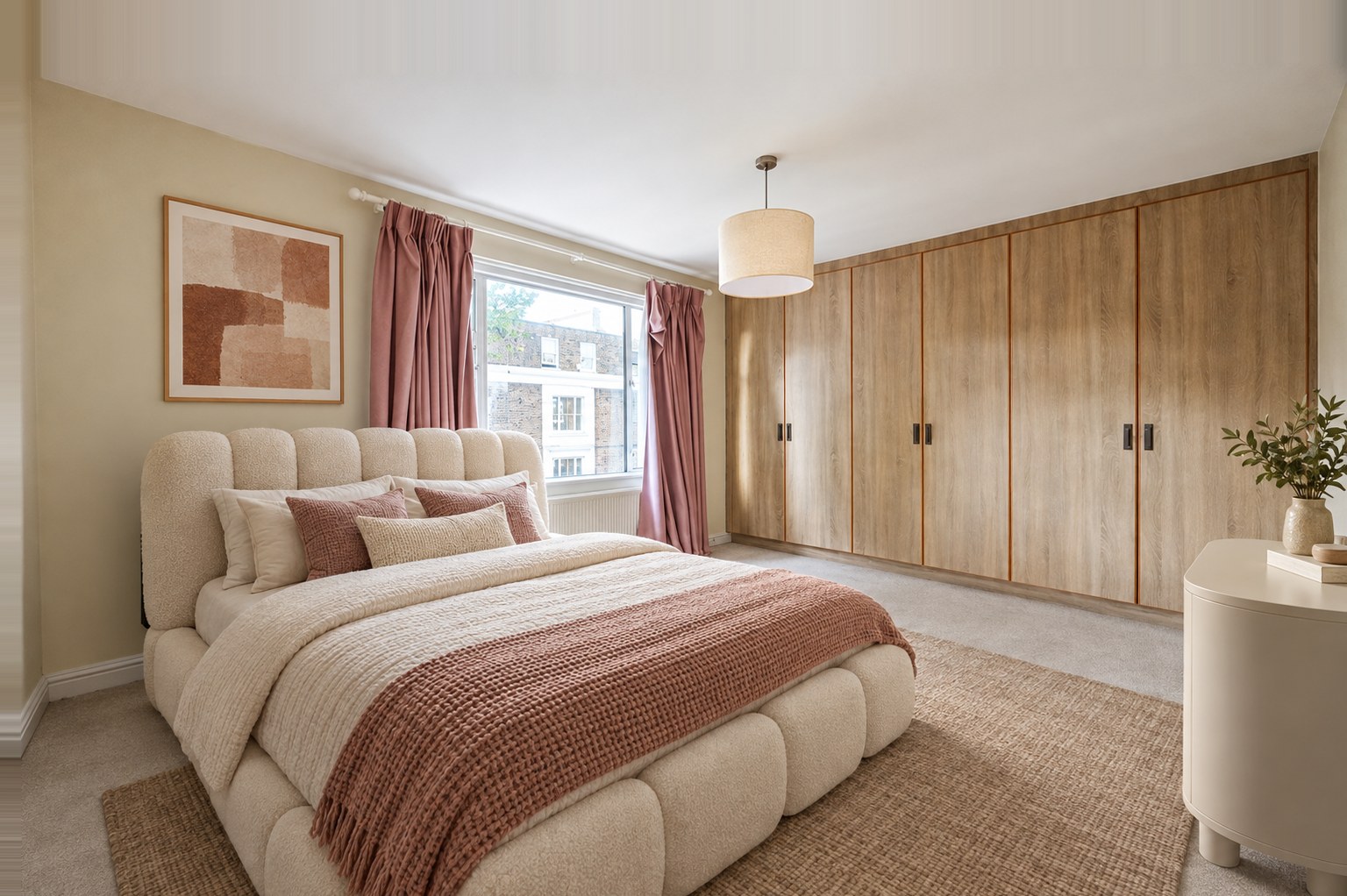
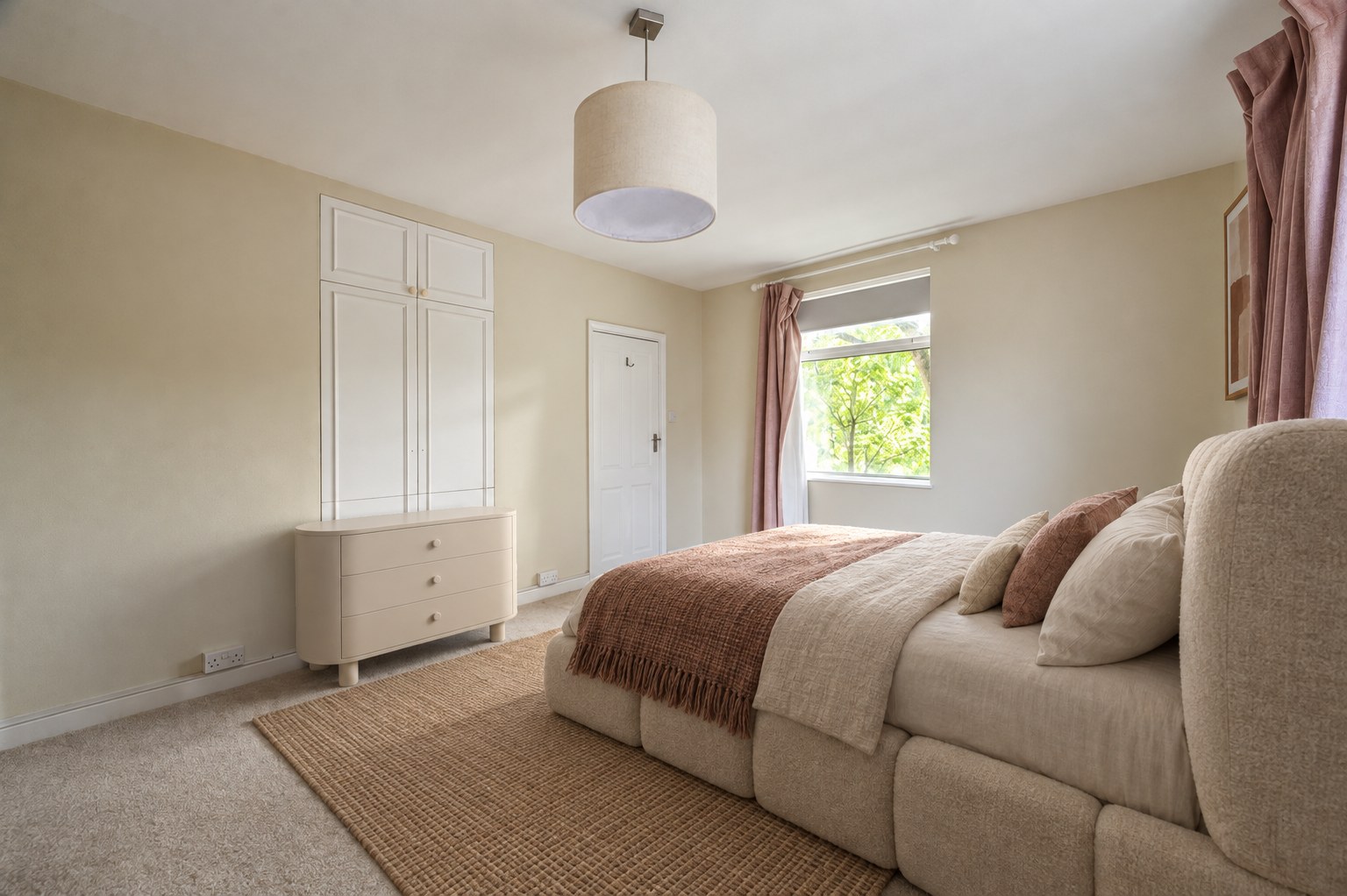
Our guide to multi-angle virtual staging explains how tools try to keep a room consistent, and why the sofa can't change between photos gives the buyer's side.
2. Is the furniture the right size for the room?
Furniture at the wrong scale misstates how much space the room has, and it is harder to spot than a changed sofa.
An image model staging one photo has no measurement of the room. It judges size from the picture, which is often taken with a wide lens. Bayut's photography guide (opens in a new tab) warns that with a wide-angle lens "Objects closer to the lens will appear larger, while those further back will appear smaller in size than they actually are."
Compare each piece with fixed things a buyer knows, at the same distance from the camera: the door beside it, the window above it, the light switch behind it. A double bed that looks narrower than the door is wrong. If you have the room's measurements, check the biggest piece against them.
Staging with furniture at its real size prevents this mistake. In Livium AI every catalogue piece is a 3D model at its real size, placed in a 3D model of the room, so a 1.6 m bed goes in as a 1.6 m bed.
3. Has the building changed?
This mistake shows a property that does not exist: a window that gains a pane or loses its handle, a socket or switch that moves or vanishes, a ceiling light that changes shape, a missing air-conditioning grille, a redrawn view.
The eye goes to the new furniture, so these changes slip past. Views need special care. California's law on altered listing images (opens in a new tab) counts a change to "views through windows" as an alteration that licensees there must disclose. A flat sold partly on its view of the sea or the skyline is misdescribed if staging improves that view.
Put the two photos side by side at the same size and go round the fixed things from the ceiling down: light fittings, grilles, window frames and handles, doors, switches, sockets, skirting. Count them in both. Then look out of the window: the view should show the same buildings and trees.
Rooms that were furnished and then cleared need the closest look. Wall hooks, a towel rail or a thermostat can go out with the owner's belongings, and a new bed or sofa can hide a radiator or a grille. None of this is dramatic, which is why a furniture-only check misses it. A hook may not matter to a buyer, a hidden radiator or a changed view might, and the agent who knows the flat is the one to judge.
4. Have the floor, walls or worktops changed colour?
Finishes drift: a grey floor comes back beige, white walls turn cream, a worktop loses its veining, grout lines change direction.
Compare one patch of floor and one of wall that both photos show. With tiles, count them across the floor. A slight change of tone across the whole photo is an ordinary adjustment: California's definition leaves out "white balance, color correction" and similar edits "that do not change the representation of the real property". A floor that has become a different material is another matter.
5. Does the room look bigger or brighter than it is?
A room can grow without moving a wall: furniture drawn a little small, too few pieces for its use (a living room with one armchair and no sofa), dark corners lifted, or light the room does not get.
Our AI disclosure policy notes that such an image "can mislead, whatever label it carries". The label covers the furniture, not a room that has grown. Compare the darkest corner in both photos, and the gap between the top of the window and the ceiling. If the gap has grown, so has the ceiling.
6. Could the furniture really go where it has been put?
A staged room has to work as a room. Watch for a sofa across a door or the sliding door to the balcony, a bed in front of fitted wardrobes that could then not open, and furniture pushed against a radiator.
An image model staging one photo places furniture where it looks good from that camera. It does not know that a wardrobe door swings out. For each door, wardrobe and window, ask whether it could still open, and check the other photos for the door behind the camera.
7. Do the light and shadows agree with the windows?
Look for shadows that fall towards the window, furniture with no shadow underneath that seems to float, sunshine in a photo taken on a grey day, and reflections in a polished floor that do not match the pieces above them.
Find the main window in the original and check that new shadows fall away from it, that every leg meets the floor with a small dark shadow, and that a lit lamp lights the wall behind it. Wrong light does not change the property, but it can make a buyer doubt the rest of the set.
8. Is the staging hiding something?
A rug over a stain, a plant in front of damp, a picture over a crack: each may pass for a styling choice, but it hides the condition of the property. An image model that redraws the whole picture can also smooth a mark away unasked.
This is where staging becomes misrepresentation. NorthstarMLS, a US multiple listing service (MLS, the shared database where a region's agents list homes), published proposed guidelines on 10 July 2026 (opens in a new tab) that permit staging "only to add or remove personal property such as furniture and décor". They prohibit "Alterations that change or hide permanent or structural elements of the property". Our article on disclosure rules covers the rules place by place.
Note every mark and damaged fitting in the original and find each one in the staged photo. If one has gone, move the piece or publish the original alongside.
9. Is there a label, and can a buyer see the original?
Without a label, or with the original lost, a buyer cannot tell what is real. In the Coraly study, HousingWire reported (opens in a new tab), more than 90% of altered images showed no visible disclosure "on the image itself, in captions, listing descriptions or adjacent text". The report blamed the workflow: "The original files stay on the photographer's hard drive."
Since 1 January 2026, California has required (opens in a new tab) licensees who advertise a sale with an altered image to add a statement that is "reasonably conspicuous and located on or adjacent to the image", with a link to the original. NorthstarMLS's proposal (opens in a new tab) asks for at least one unaltered photo of each staged room. We know of no published rule in Dubai that deals specifically with virtually staged images. One undated news report (opens in a new tab) says the Dubai Land Department requires a watermark on them, but it links no official document and we found no notice from the department confirming it.
Label the photo anyway, where the portal accepts text on images, and put a sentence beside it wherever it goes. Our disclaimer wording article has sentences to copy. Keep the originals while the listing is live.
What should you check before you publish a staged photo?
Run this on every staged photo.
- Both photos are side by side, at the same size, on one screen.
- Each piece looks the same in every photo of the room, and nothing seen by two cameras is missing from either.
- Each piece stands in the same place against the window and door in every photo.
- Each piece looks the right size next to the door and window.
- Windows, doors, switches, sockets, lights and grilles: same number, place and shape.
- The view through every window matches the original.
- Floor, walls, worktops and skirting keep their colour and pattern.
- The room looks no bigger and no brighter than in the original.
- Every door, wardrobe and window could still open.
- Shadows fall away from the windows, and every piece touches the floor.
- Every mark and fitting in the original is still visible, or the original will be published too.
- The photo carries a label or caption, and the original is saved.
Common questions
How long should checking take?
We found no published standard. As a rough guide, allow a couple of minutes a photo, and longer if the room was furnished and had to be cleared, because more of the picture is the model's estimate.
Who should check, the agent or the photographer?
Both. Whoever made the staging checks it before handing it over, and the agent checks again, because the agent knows the property and answers for the advert. Ask for the originals with every staged set.
What if only one photo is wrong?
Re-make it, or publish that view as photographed. Mixed sets are normal: NorthstarMLS's proposal allows them if the disclosure makes clear which images are staged. A set whose staged photos disagree is the problem.
Is an obviously stylised result safer?
It may be less likely to pass for a photograph, but it does not put back a moved window, and it still counts as altered. California's definition covers images changed "through the use of photo editing software or artificial intelligence", whatever they look like.
Can I stage a living room as a bedroom?
You can show a possible use, but the listing should still describe the room as it is. Our policy rules out staging a room for a use it cannot lawfully serve.
Staging a room as one set with Livium AI
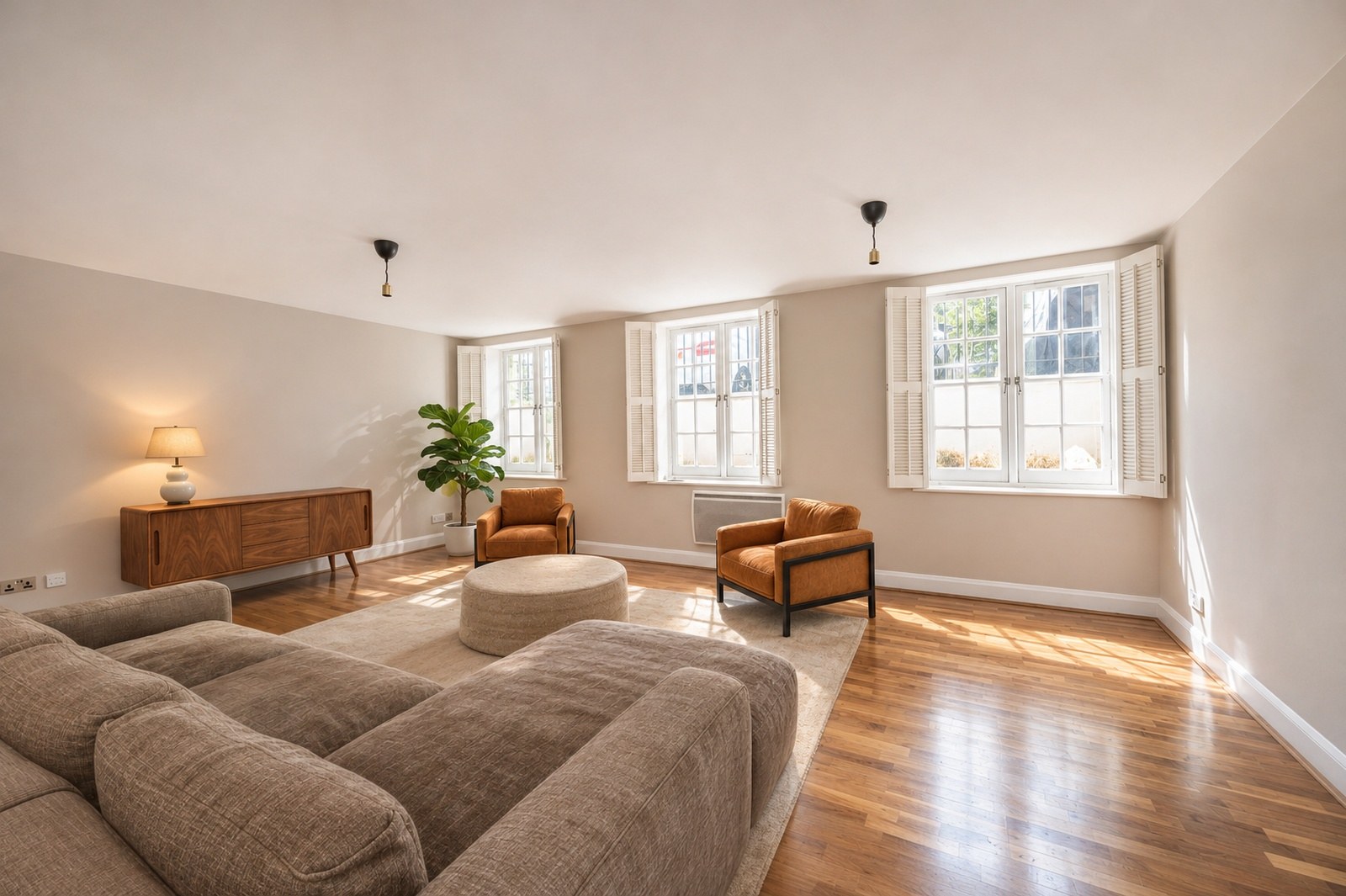
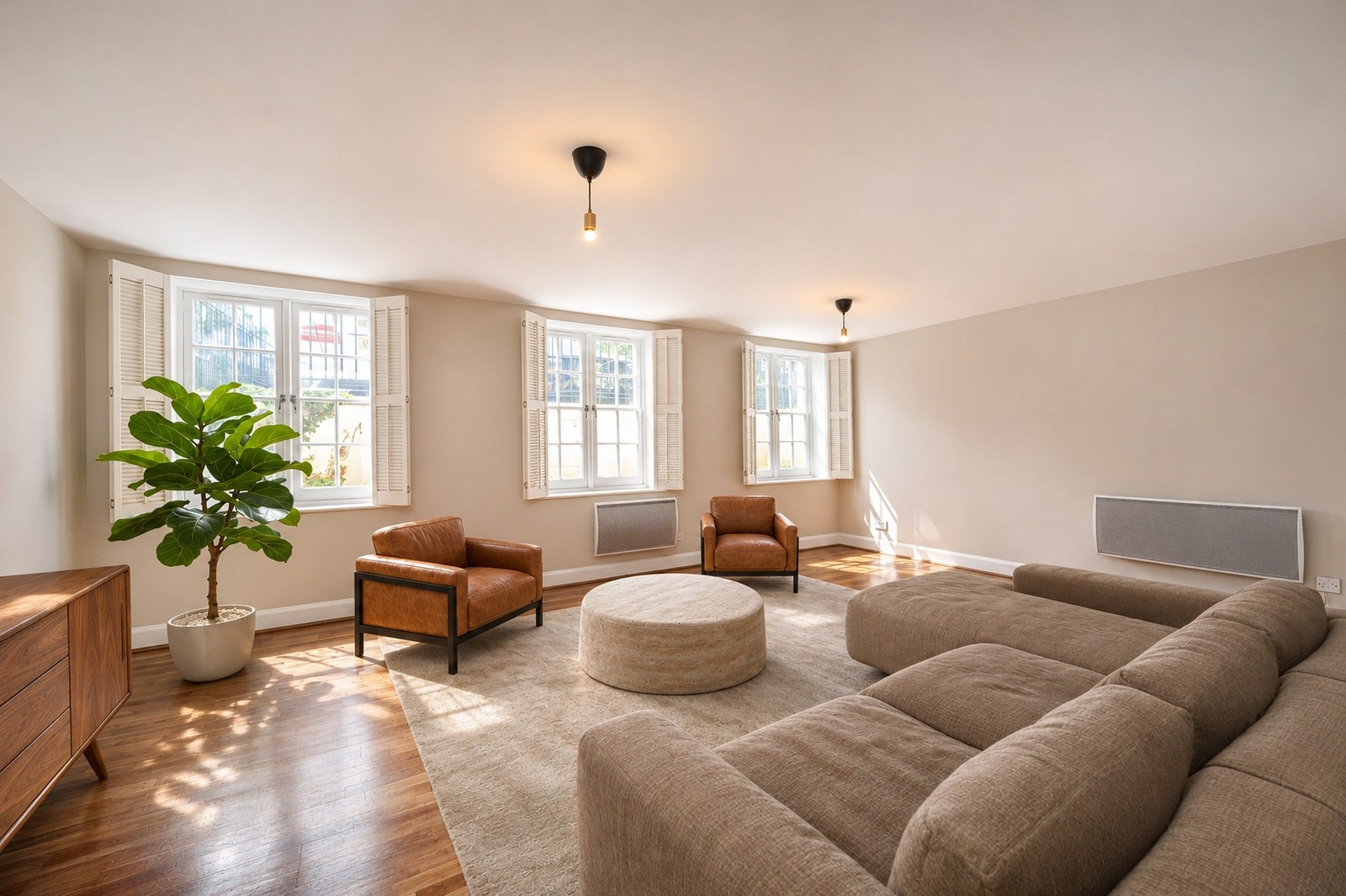
Livium AI stages the room once, not photo by photo. It builds one 3D model of the furnished room, each piece at its real size, and renders it from each photo's camera position, so every photo shows the same furniture in the same place. The service is designed to keep the room as photographed, and the app shows each staged photo against its original in a drag-to-compare view, ready for the checklist above. Each new person with a confirmed email address gets 25 free credits, enough for five photos, watermarked, with no card: start free.
Stage the room once.
Every photo matches.
Upload a few photos of the empty room. Livium AI furnishes it once, in one 3D model with every piece at its real size, so every photo of the listing shows the same furniture in the same place.
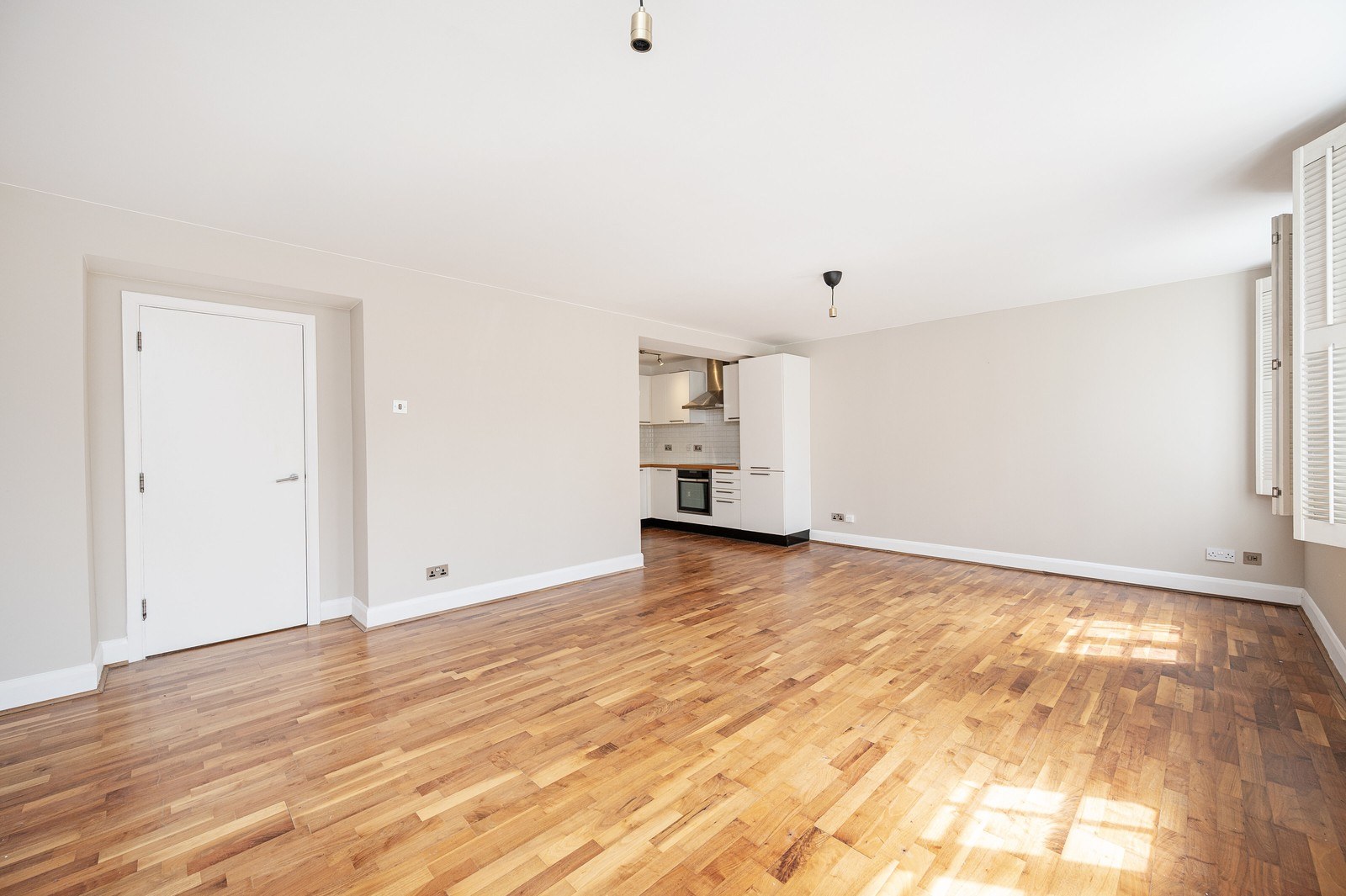
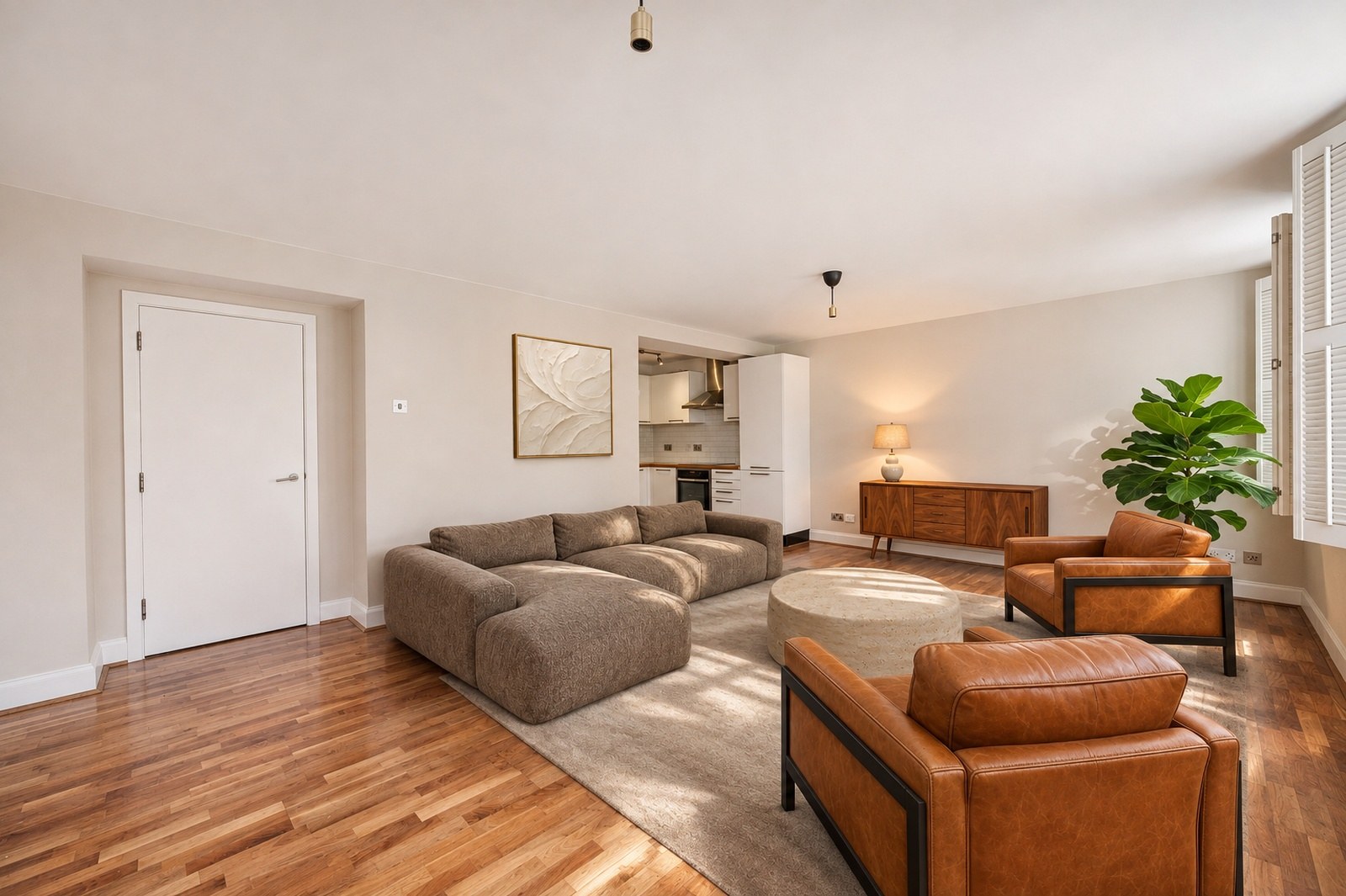 As photographedStaged by Livium AI
Sources
- Livium AI, AI and virtual staging disclosure policy, version dated 17 November 2026.
- NorthstarMLS, Guidelines for Virtual Staging and AI-Enhanced Listing Photos (opens in a new tab) (proposed), 10 July 2026.
- HousingWire, Most AI-altered listings go undisclosed, California law bans it (opens in a new tab), Jonathan Delozier, 24 June 2026. It reports Coraly's study, and says Coraly has built an image-checking workflow with San Diego MLS. We could not find Coraly's own report online.
- California Business and Professions Code, section 10140.8 (opens in a new tab), in force from 1 January 2026, as reproduced by California.Public.Law.
- OpenAI, Image generation guide (opens in a new tab), API documentation, undated.
- Bayut, Best practices for taking real estate listing photos (opens in a new tab), MyBayut, updated 21 October 2026.
- propertynews.ae, Dubai Mandates Verified Accuracy for Virtual Property Tours (opens in a new tab), undated. Cited only as an unconfirmed report.
All links last checked 16 November 2026.
Keep reading
Can ChatGPT do virtual staging? What works, what doesn't
ChatGPT and Gemini can stage one listing photo well. Where they slip on a room's other photos, furniture size and the building, and what to check first.
Why the sofa can't change between photos
AI-staged photos of one room often disagree because each is staged as a separate picture. What buyers see, why prompts don't fix it, and how to check a set.
Multi-angle virtual staging: one room, every photo
Multi-angle virtual staging shows the same furniture in the same place in every photo of a room. How tools try to do it, and a ten-minute test for any tool.